If you run Meta ads for a forex broker, crypto exchange, signals service or iGaming operator, the Telegram join is usually the conversion that matters. The deposit comes later, but the join is the first signal that an ad actually worked. So when the bot stops detecting joins, or the joins never reach Meta, you are flying blind on the one metric your optimisation depends on.
The frustrating part is that Telegram bot tracking rarely fails loudly. There is no red error banner. Spend keeps going out, the channel keeps growing, and it is only days later, when your cost-per-join column is suspiciously empty or your Conversions API events have flatlined, that you notice something broke. This guide walks through the failure points specific to finance-vertical tracking — and, at each one, why Ott catches the break before you would have.
How the tracking chain actually works
Before troubleshooting, it helps to know what is meant to happen end to end. A break can hide at any link:
- A user clicks your Meta ad. Facebook appends a click ID (fbclid) to the destination URL.
- The link routes through a tracking layer that captures the fbclid and forwards the user to your Telegram channel or bot deep link.
- The user joins. A bot with admin rights on the channel detects the new member.
- The join is matched back to the original fbclid.
- A join event is sent to Meta via the Conversions API (CAPI), so the algorithm learns which ad, creative and audience produced it.
If joins are not showing up, the fault is somewhere in steps 1 to 3. If joins are detected but Meta never sees them, the problem is in steps 4 to 5. Knowing which half you are in saves a lot of time — and when Ott runs this chain, it watches every one of those links so a failure surfaces as an alert rather than an empty column.
When joins are not being detected at all
This is the most common complaint, and the cause is almost always permissions, not code.
The bot is not an admin (or lost admin)
Telegram only notifies a bot of new members if the bot is an administrator of the channel. A regular member sees nothing. The classic trap in agency setups: a client revokes and recreates their channel admins during a “cleanup”, silently dropping your tracking bot. From that moment, every join goes uncounted.
Fix: confirm the bot is still listed under the channel’s Administrators, re-add it if missing, then join from a fresh account and check the event lands. Or skip the manual re-check entirely: Ott watches the join stream per channel and flags the moment detections stop, so a dropped bot shows up as an alert the same day instead of a hole in your month-end numbers.
The deep link points to the wrong place
For private channels, finance agencies often use a bot deep link (t.me/yourbot?start=...) rather than a public t.me/channel URL, because the start parameter is what carries the attribution token. If the ad sends users straight to a public channel link instead, the start parameter, and the fbclid behind it, never reaches the bot.
Fix: confirm the link in your live ad creative is the tracked deep link, not the bare channel URL — and check the published ad, not the draft, since these drift apart more often than you would expect. In Ott, each brand’s ad-to-channel mapping is defined once and reused, so the tracked destination is consistent by design rather than re-pasted per campaign.
The user joined before clicking
Plenty of high-intent finance prospects already follow ten signal channels. If someone is already a member, there is no “new member” event to detect, so the join cannot be attributed. This is not a bug, but it does mean your detected-join volume will always be lower than your raw click volume. Ott accounts for this in how it reports cost-per-join, so the gap reads as expected behaviour rather than a phantom tracking failure you waste an afternoon chasing.
When joins are detected but Meta never receives them
If your dashboard shows joins but Meta’s Events Manager does not, the break is on the CAPI side.
The fbclid was never captured
CAPI matching for Telegram leans heavily on the fbclid, because you usually do not have an email or phone at the join stage. If the tracking link dropped the fbclid, Meta receives an event it cannot tie to an ad. It may still count as a conversion, but attribution to the specific campaign and creative collapses, which defeats the point.
Fix: click your own ad and inspect the landed URL — the fbclid= parameter must survive every redirect in the chain, and a query-stripping redirect or aggressive shortener is a frequent culprit. Or skip the manual inspection: Ott captures the fbclid at click time and carries it through the whole chain, and match-quality degradation shows up as an alert rather than as silently unattributed conversions.
The access token expired or the dataset is wrong
System-user tokens for the Conversions API can expire, and finance agencies juggling multiple Business Managers, often because one keeps getting restricted, are especially prone to pointing events at the wrong dataset (pixel) ID. Events sent to a dead token or the wrong dataset simply vanish.
Fix: verify the CAPI token is valid and tied to the correct dataset for that brand, using Meta’s Test Events tool before trusting the live feed. This is the failure that punishes hand-managed setups hardest — which is why Ott manages the token-to-dataset binding per brand and surfaces a stalled event feed the moment it happens, instead of after a week of vanished conversions.
Event deduplication is misfiring
If you fire the join both client-side and via CAPI without a shared event_id, Meta may dedupe incorrectly, or count twice. For Telegram joins, server-side via CAPI is the reliable path; there is no browser session at the moment of joining to fire a pixel from anyway.
Fix: standardise on server-side CAPI for joins, with a consistent event name and a unique event ID per join. Ott does this by default — server-side, one clean event per join — so double-counting and misfiring dedupe simply aren’t configuration you have to get right.
A fast diagnostic you can run in five minutes
If you are on a hand-built setup, isolate the broken half before working through a long checklist:
- Step 1 — Join test. From a throwaway Telegram account that is not already a member, click your live ad, then join. Does a join appear in your tracking within a minute or two? If no, the break is bot permissions, the deep link, or the fbclid capture.
- Step 2 — Event test. If the join did appear, open Meta’s Test Events with a test event code and repeat. Does the event show up? If no, the break is the CAPI token, the dataset ID, or matching parameters.
- Step 3 — Attribution test. If the event shows but is unattributed, inspect the landed URL for a surviving
fbclid. Missing fbclid means the link layer is stripping it.
This three-step split is useful once. Running it by hand after every Business Manager migration, for every brand, is not. Ott watches the whole chain — join detection, CAPI delivery and attribution match-quality — across every brand at once, and alerts you before a break costs you a week of blind spend.
Why finance agencies feel this more than most
Two things make tracking breaks more painful in regulated, high-risk verticals. First, the stakes per join are high: a single forex or iGaming depositor can be worth a great deal, so even a few days of lost attribution distorts which campaigns you scale. Second, account churn is brutal. When a Business Manager gets restricted and you migrate to a new one, every CAPI token, dataset ID and ad link has to be reconnected, and any one of them silently going stale will quietly kill your tracking.
This is also where per-data-source and per-Telegram-join pricing models punish you: every channel you add, every broker you onboard, becomes another line item. Ott’s flat-fee approach removes that friction so you can track every brand without doing pricing maths each time you add a channel — and monitor them all from one place. You can read more about how attribution is wired in our Telegram tracking overview and why it matters for forex and prop firm agencies.
Prevent the next break before it happens
The manual version of prevention is a runbook — monitor cost-per-join as a smoke alarm, re-verify token, dataset and links after every Business Manager migration, keep the bot an admin, and audit live ads rather than drafts. It works, but it depends on someone remembering to run it every time, for every brand.
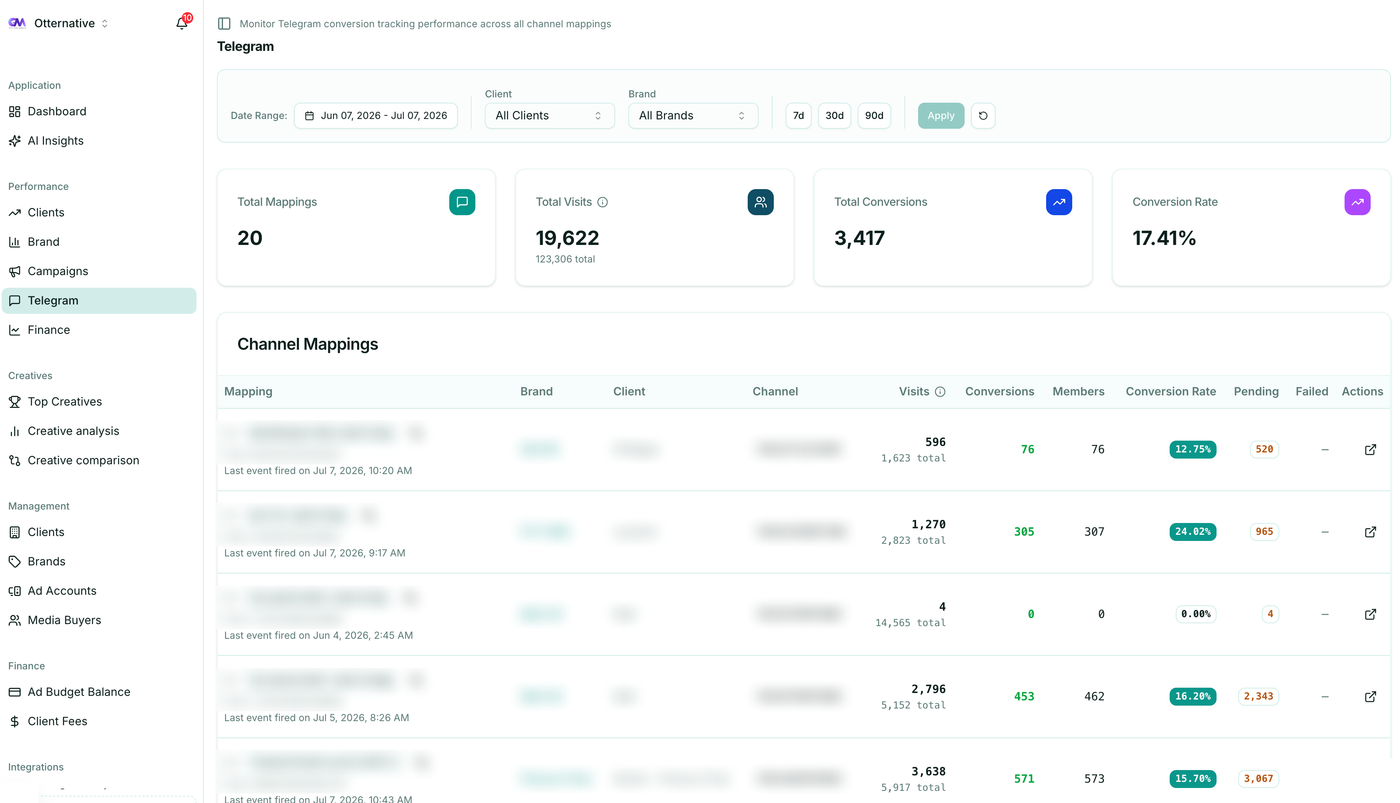
Ott turns that runbook into something the platform does for you. Because joins, budget alerts and campaign triage live alongside the attribution data, a break gets spotted in the dashboard — and flagged to you — rather than discovered at month-end.
Telegram bot tracking is not fragile by nature, but the chain has several links and finance setups stress every one of them. You can debug each break by hand, or you can let Ott watch the whole chain and tell you the moment one goes quiet.
Want Telegram join tracking that survives Business Manager churn, scales across every brand at a flat fee, and alerts you before it breaks? Start a free trial or talk to us about your setup.